Best Used GPU for Local AI Under 400 Dollars 2026
When I shop for hardware to run language models at home, I keep coming back to one question. What is the best used GPU for local AI under 400 dollars in 2026? I get this question almost every week from viewers who watched my Mac Mini recommendation and said something like, “Zen, I already have a desktop. I just want to drop a card in.” That is a fair point. A used Nvidia GPU is still one of the most efficient ways to get into local inference if you already own a tower with a real power supply and a free PCIe slot. The trick is knowing which cards are actually worth the money in 2026, because the secondhand market has shifted a lot since I first started buying GPUs for AI workloads.
In this post I want to walk through the four cards I would actually consider at this budget. I will cover the RTX 3060 12GB, the RTX 3080 10GB, the Tesla P40 24GB, and the strategy of hunting for a used RTX 3090. I will also talk about the tradeoffs that nobody puts on the spec sheet, like watt budgets, driver gotchas, and where to buy without getting burned. If you want the bigger picture on what kind of workstation makes sense for your goals, my cost effective local LLM setup guide is a good companion read.
Why Does VRAM Matter More Than Raw GPU Power?
I said this in the video and I will say it again here, because it is the single most important thing to internalize before you spend a dollar. When you run a large language model locally, the entire model has to fit inside the memory of the GPU. If the model does not fit, you either cannot run it at all, or you have to offload layers to system RAM, which crushes your tokens per second. So the question is not, “How fast is this GPU?” The question is, “How much VRAM does this GPU have, and how fast is that VRAM?”
This is why a four year old card with 12GB of VRAM will out perform a brand new card with 8GB for a lot of practical AI work. A 7B or 8B model at a sensible quantization needs around 5 to 6GB. A 13B model at Q4 needs around 8 to 9GB. A 32B model at Q4 starts knocking on the door of 20GB. If you want to understand the math behind those numbers in detail, I wrote a full VRAM requirements guide for local AI coding that walks through it model by model.
Once you have that mental model, the secondhand market starts to look very different. You stop chasing benchmark scores and you start chasing memory.
Is the RTX 3060 12GB Still the Best Beginner Card in 2026?
The RTX 3060 12GB is the card I recommend to most people who message me asking where to start. In 2026 it sits in a sweet spot on the used market. I see clean ones go for around 180 to 230 dollars on local marketplaces, and sometimes a little more from reputable secondhand resellers. That leaves you plenty of room under the 400 dollar ceiling for a power supply upgrade or a bigger SSD if you need it.
What you get is 12GB of GDDR6 VRAM on a 192 bit bus. The memory bandwidth is not amazing, around 360GB per second, but it is enough to run any 7B or 13B model at usable speeds. I get around 30 to 40 tokens per second on an 8B model at Q4, which is faster than most people read. The card pulls about 170 watts under load, so a decent 550 watt power supply is fine. It also runs on the latest Nvidia drivers without any drama, which matters more than people realize.
The honest downside is the 192 bit memory bus. If you push into 13B territory, you will feel the bandwidth limit on long contexts. But for somebody learning the ropes, building agents, and experimenting with retrieval, this card is hard to beat for the price.
Is the RTX 3080 10GB Worth It for Local AI?
The RTX 3080 10GB is the card I am most conflicted about. On paper it looks great. You can find them used between 250 and 320 dollars in 2026, the memory bandwidth is around 760GB per second which is more than double the 3060, and the raw compute is significantly higher. If your work is mostly image generation, fine tuning small models, or running 7B and 8B language models at high speed, the 3080 will feel noticeably snappier than a 3060.
But I keep telling people to think twice. Ten gigabytes is the awkward middle. It is not enough to comfortably run a 13B model with a generous context window, and it is way too little for anything in the 30B range. So you pay more money for less flexibility on the exact axis that matters most for language models.
If you mostly care about diffusion models, voice models, or fast 7B inference, the 3080 10GB is a great pickup. If you care about running the largest model you can squeeze onto one card, skip it. There is also a 12GB variant of the 3080 that occasionally shows up on the used market, and that one changes the calculation. If you can find a 3080 12GB near 350 dollars, grab it.
One more practical note. The 3080 pulls 320 watts under load. You need a real 750 watt power supply with proper PCIe connectors, and your case needs decent airflow. Do not pair this card with a 450 watt bargain bin unit.
Should You Consider the Tesla P40 24GB for Local AI?
This is the card that splits the room. The Nvidia Tesla P40 is a data center card from 2016 that comes with 24GB of GDDR5 VRAM. On the used market in 2026 they hover around 200 to 280 dollars depending on the seller. That is an absurd amount of VRAM for the price, and it is the only way to run 30B class models on a single card under 400 dollars. For builders who want to experiment with the larger open source models, that VRAM is genuinely tempting.
But I want to be honest about the catches, because there are several. The P40 has no display output, so you need a second GPU or integrated graphics for your monitor. It needs an EPS to PCIe power adapter and a real server style cooling solution, because it ships passively cooled and expects to live in a data center with screaming fans. People rig 3D printed shrouds with a Noctua fan to make this work in a desktop case. It runs older Pascal architecture, which means no native FP16 acceleration, so your tokens per second will be much lower than a modern card despite the huge VRAM. And the driver path on Windows is fiddly. On Linux it is more straightforward, but you still need to use the data center driver branch.
If you are comfortable getting your hands dirty, you have a Linux box, and you specifically want to run bigger models slowly rather than smaller models quickly, the P40 is a serious option. If you want plug and play, run away.
Before you go further, this is a good moment to grab some structured starter projects. I put together a collection of open source local AI starter projects that work on any of the cards in this post. They are designed to help you actually build something the day your hardware arrives.
Is It Worth Hunting for a Used RTX 3090?
The RTX 3090 is the unicorn of the under 400 dollar local AI build. With 24GB of GDDR6X VRAM and proper Ampere architecture, it does everything the P40 does, but at three to four times the speed. The catch is that in 2026 a clean used 3090 typically sells for 550 to 750 dollars. So why am I including it?
Because if you are patient, you can find them under 400. I have seen 3090s show up that low when somebody is desperate to clear out a mining rig, when a card has cosmetic damage that does not affect function, or when an estate sale or office liquidation goes through a non technical seller. I have personally seen one go for 380 dollars from somebody who had no idea what they had.
The strategy is simple. Set up alerts on local marketplaces with a maximum price filter, check daily, and be ready to drive an hour the moment something pops up. Always test in person. Bring a laptop with a benchmark tool, ask to plug it in, and confirm it boots, holds a load, and shows the right VRAM. Do not buy a 3090 sight unseen for a too good to be true price online, because that is exactly how mining cards with degraded memory get unloaded.
If you find one in budget, it is the single best local AI value in this entire post. You can run 30B models comfortably, dabble in 70B at aggressive quantization, and still have headroom for image generation. Speaking of which, model quantization is the key to faster local AI performance on every card I just discussed, so make sure you understand it before you commit to any purchase.
What About Watt Budgets and Driver Gotchas?
Two things trip up first time buyers more than anything else. The first is power. A used 3060 sips 170 watts. A 3080 chews 320. A 3090 can spike past 400. Your power supply matters, and so does the quality of your PCIe cables. If you are building from a five year old prebuilt with a cheap 500 watt unit, factor in 80 to 120 dollars for a new power supply. Otherwise you will get random crashes that look like driver bugs but are actually voltage drops.
The second is drivers. On Windows, recent Nvidia drivers handle the 3060, 3080, and 3090 cleanly. The P40 needs the data center driver, and mixing it with a consumer card on the same machine takes some configuration. On Linux, the open source kernel modules from Nvidia have matured a lot in 2026, but I still recommend the proprietary driver for AI work because it is what tools like llama.cpp and vLLM are tested against. CUDA version compatibility is another quiet trap. Stay on a recent CUDA so your inference frameworks do not throw kernel errors.
Where Should You Buy a Used GPU Safely?
The safest path is a local in person sale where you can test the card before paying. Marketplace apps with local meetups, university classified boards, and computer repair shops that buy and resell are all good. The riskier path is online auction sites with buyer protection. They are fine if you check seller history carefully and avoid anything that looks like a stripped mining card. Avoid overseas sellers, avoid sellers with brand new accounts, and avoid any deal that asks you to pay outside the platform.
When the card arrives, run it under sustained load for at least 30 minutes. If memory errors or thermal throttling are going to show up, they show up fast. If you are still building skills before committing to hardware, my guide on how to learn AI without expensive hardware covers what you can do today using free cloud tiers and tiny models on the laptop you already own.
Which Used GPU Should You Actually Buy?
Here is how I would answer it for myself in 2026. If you are starting out and you mostly want to run 7B to 13B models for coding, chat, and agent experiments, buy a used RTX 3060 12GB and put the leftover money toward a better power supply and more system RAM. If you specifically want fast 7B inference and image generation, and you do not care about big models, the RTX 3080 10GB is solid. If you are stubborn, technical, and want to run 30B models at any cost, the Tesla P40 24GB is the only card under 400 dollars that gets you there. And if you have patience and luck, hunt for a used RTX 3090. It is the one card on this list that will not feel obsolete in two years.
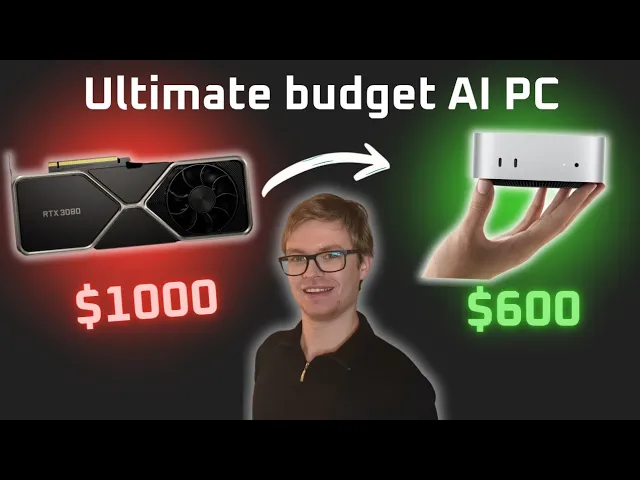
I made the full video walking through the alternative path, the Apple Mac Mini option, on my YouTube channel. Watch it here for the other side of the local AI hardware decision: https://www.youtube.com/watch?v=VGnw5Blcmm0
If you want to talk through your specific build with other people who are doing this seriously, I run a community of AI engineers who share hardware reports, configurations, and benchmarks every week. Join us at https://aiengineer.community/join and bring your questions. The right GPU depends on what you actually plan to build, and the fastest way to figure that out is to talk to people who have already made the decision you are about to make.
