AI Technical Screen Preparation:
Pass the Technical Filter
Technical screens separate candidates who can talk about AI from those who can build it.
Learn what to expect and how to prepare.
Technical Screens
Are the Real Filter
You're not sure if AI technical screens focus on coding, system design, or AI-specific knowledge.
45-60 minutes feels rushed to solve problems, explain your thinking, AND ask questions.
You're uncomfortable coding in shared editors while someone watches and evaluates.
Ace AI Technical Screens
The World-Class AI Engineer Cohort
Technical screens test fundamental coding ability and AI knowledge. They're usually easier than onsite rounds—focus on demonstrating competence and communication.
Expect Practical Problems
API integration, data processing, or mini system design—not LeetCode hard
Think Out Loud
Explain your approach before coding—interviewers evaluate your thinking
Write Clean Code
Variable names, basic structure, error handling—production habits matter
Ask Clarifying Questions
Don't assume—clarify requirements before diving in
Meet Your Mentor

My aim has been the same for years: become a world-class AI engineer. Every career move I've made has been measured against that.
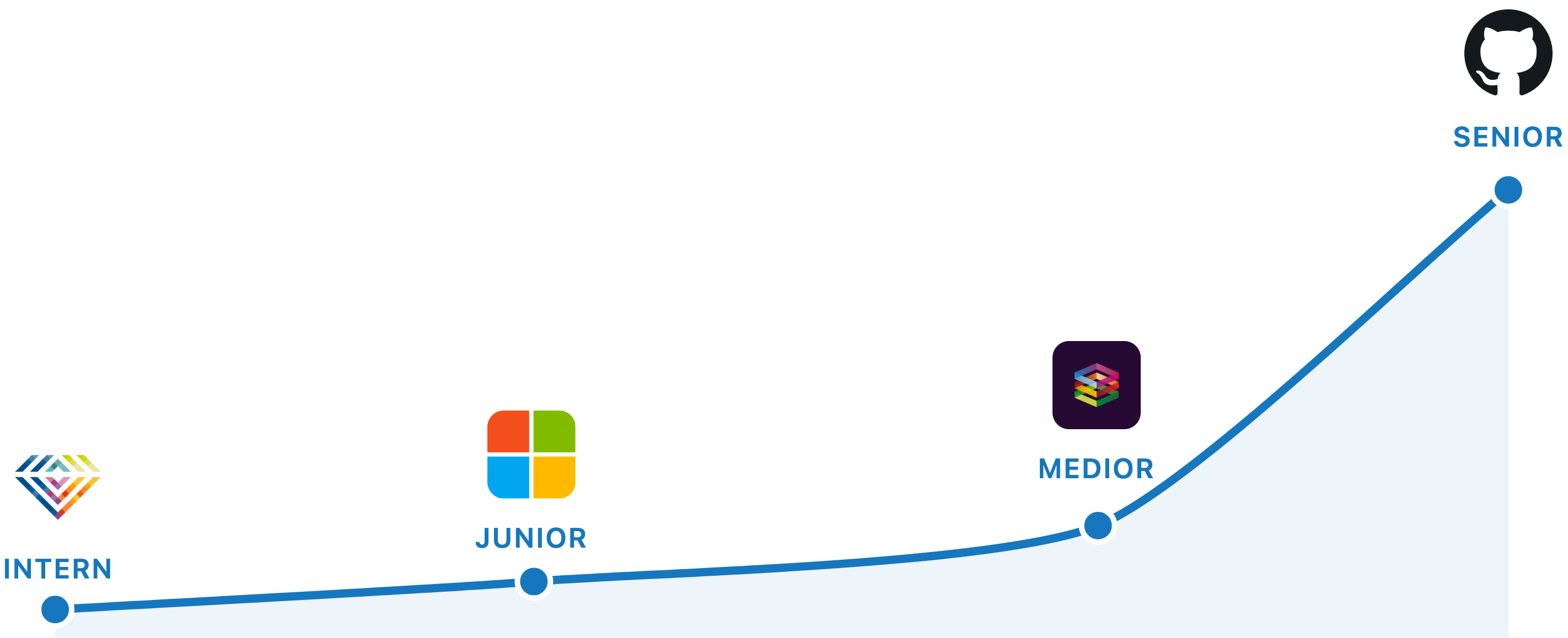
I started as a software tester on a $500/month internship in the Netherlands. Taught myself to code, learned to ship real systems, and worked my way to Senior Engineer at GitHub.
Then I left GitHub. I joined an AI research lab as Member of Technical Staff, where I currently build products for secure AI monitoring.
The cohort draws directly from my real experience so you can make progress fast.
I run this special cohort with only a few people because hands-on work with me is what it takes to bring you to become a world-class AI engineer.
Real Results

Vittor
AI Engineer
Built and deployed his portfolio piece, then landed the AI role
"The coaching played a huge part in my success. I focused on AI fundamentals, the certification path, and soft skills like professional writing. Having access to expert guidance gave me confidence during interviews and helped me feel I was on the right path.
I built my own platform (simple but functional) and deployed it on AWS. I used it in my portfolio and showcased it during interviews. The way complex topics were explained, especially the restaurant analogy for AI systems, really stuck with me. Focusing on doing the basics well was absolutely essential."
What You Will Get
8 Weekly Tuesday Sessions
3 hours each for 24 live hours total.
Project Scoping at Kickoff
We set the scope of what you'll ship and the milestones to get there before the live sessions start.
Code Reviews
Reviews of your code from Zen during the cohort.
Lifetime Demo Access
Every architecture demo is recorded and yours to keep.
Demo Day
You present what you built and get feedback from Zen, with a recording you can use in your portfolio.
12 Months Community Access
Included with the cohort.
Technical Screens Filter Most Candidates. Prepare Accordingly.
Frequently Asked Questions
What should I expect in an AI technical screen?
Typical AI technical screens include: (1) A coding problem—usually Python, often involving APIs or data processing, (2) AI concept questions—explain RAG, embeddings, or prompt engineering, (3) Discussion of your projects—be ready to go deep on technical details. Some companies include mini system design. The bar is lower than onsite—they're checking fundamentals, not advanced mastery.
What coding format do AI technical screens use?
Most use: (1) Shared editor (CoderPad, HackerRank) for live coding, (2) Your own IDE with screen share, (3) Whiteboard for system design discussions. For live coding: practice in the specific tool if possible, but any shared editor practice helps. Have your environment ready: Python installed, common libraries available, editor configured. Test your screen share before the interview.
What AI-specific questions appear in technical screens?
Common AI questions: Explain how RAG works and when you'd use it, What are embeddings and how are they generated?, Walk me through building an LLM-powered feature, How would you handle rate limits in production?, What's the difference between fine-tuning and prompting?, How do you evaluate LLM output quality? Prepare crisp 2-3 minute explanations for each.
What are common mistakes in AI technical screens?
Common failures: (1) Diving into code without clarifying requirements, (2) Silent coding—explain your thinking, (3) Perfect-is-enemy-of-good—get a working solution first, (4) Not testing your code with examples, (5) Ignoring edge cases until asked, (6) Defensive reactions to hints or corrections. Interviewers want to see how you think and collaborate, not just whether you get the answer.
How should I manage time in a technical screen?
For a 45-minute screen: 5 minutes for clarification and approach, 25-30 minutes for coding, 5-10 minutes for testing and optimization, 5 minutes for questions. Don't spend too long on the approach—start coding within 10 minutes. If stuck, communicate it: 'I'm considering two approaches...' Interviewers often give hints if you're on track but slow.
I've signed up for cohorts before and dropped out. How is this different?
It probably isn't, and you should hold the money. Most cohort dropouts are people who couldn't articulate what they were shipping when they signed up. That's why the consult exists, and why I turn down most applications. If we get on the call and you can't tell me what you'll have shipped at the end of week 8, I'll point you to the AI Native Engineer community until you can.
I'm not pivoting careers. I want to build a product. Does this still work?
Yes, the cohort works for people shipping their first serious AI system whether the goal is to land a senior role or to launch a product. The shipped system serves both equally well.
Do I need prior AI experience?
You need to be able to code in Python or TypeScript. Complete beginners can follow the classroom they get access to before the cohort sessions to come in well-prepared.
How much time will this take?
You'll spend 3 hours every Tuesday in the live session and roughly 3 hours of async work in between, for 8 weeks. The Tuesday session time is fixed.
What does it cost?
It's a four-figure investment that we discuss during the 30-minute consult, alongside whether the cohort is the right fit for your project.
Can I do this while working full-time?
Yes, most attendees do. The live session is one Tuesday a week and the async work fits around your existing schedule, as long as you can carve out roughly 6 hours a week.
I accept those who have the highest chance of success.
In the 30-minute call we discuss your goals and whether you are ready for the program.